Your account was successfully created!
To access Sobero Premium:
- Download Sobero from the App Store or Google Play.
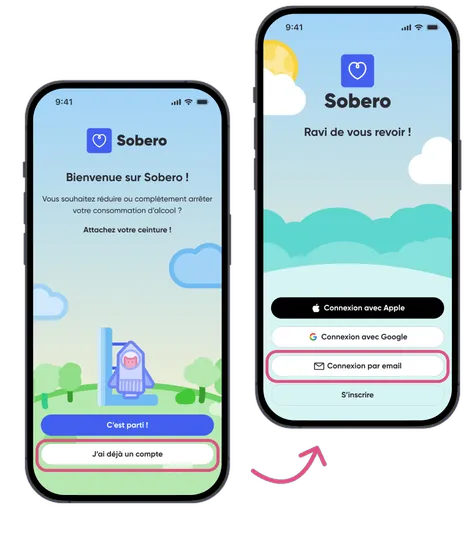
- Open Sobero and, at the bottom of the first screen, tap “Already have an account? Sign in” (iPhone) or “I already have an account” (Android).
- On iPhone, choose “Other sign-in methods”, then “Email”. On Android, choose “Sign in with email”.
- Sign in with the email address and password you just chose.
- That's it, you're in!